Cooksy
From recipe inspiration to grocery checkout - without the friction
A mobile product that simplifies meal planning by instantly converting recipes into organized, shoppable grocery lists.
Role: Product Designer (End to End)

Saving recipes is easy. Acting on them isn’t.
Home cooks save recipes effortlessly, but turning them into actionable grocery lists is still manual, fragmented, and time consuming.
Design Focus: Create a seamless path from recipe discovery to a ready to shop grocery list.
Problem
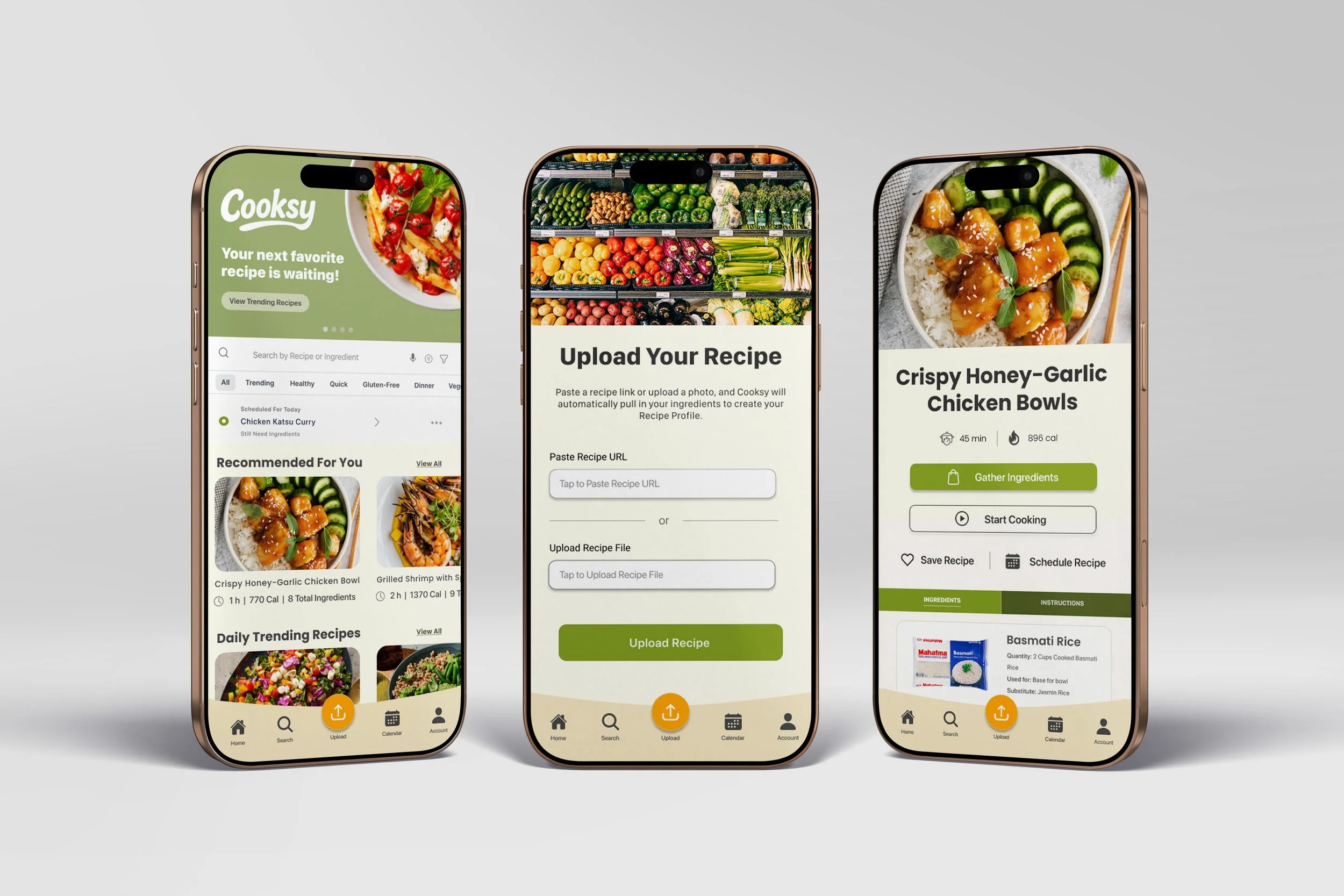
A focused flow that turns saved recipes into grocery ready lists.
Cooksy combines recipe capture, ingredient review, and meal planning into a single, guided flow. Instead of manually copying ingredients across apps, users can confirm what they need and send a ready to shop grocery list directly to their preferred store.
Key Design Decisions include:
Guided ingredient review to eliminate missed items and reduce manual effort.
Clear primary actions that guide users through each step with confidence.
Seamless transition from planning to grocery fulfillment (pickup or delivery).
Solution
Design Approach
Designing for momentum, not more features.
Rather than building a feature-heavy planning tool, I focused on reducing friction at the moments where users typically stall - reviewing ingredients, scheduling meals, and deciding what to do next.
How the Design Evolved:
Identified key breakdowns between saving recipes and planning meals through user research
Simplified flow and hierarchy to emphasize clear, forward moving actions
Tested high-fidelity prototypes to validate real task completion
Iterated on friction points uncovered during usability testing
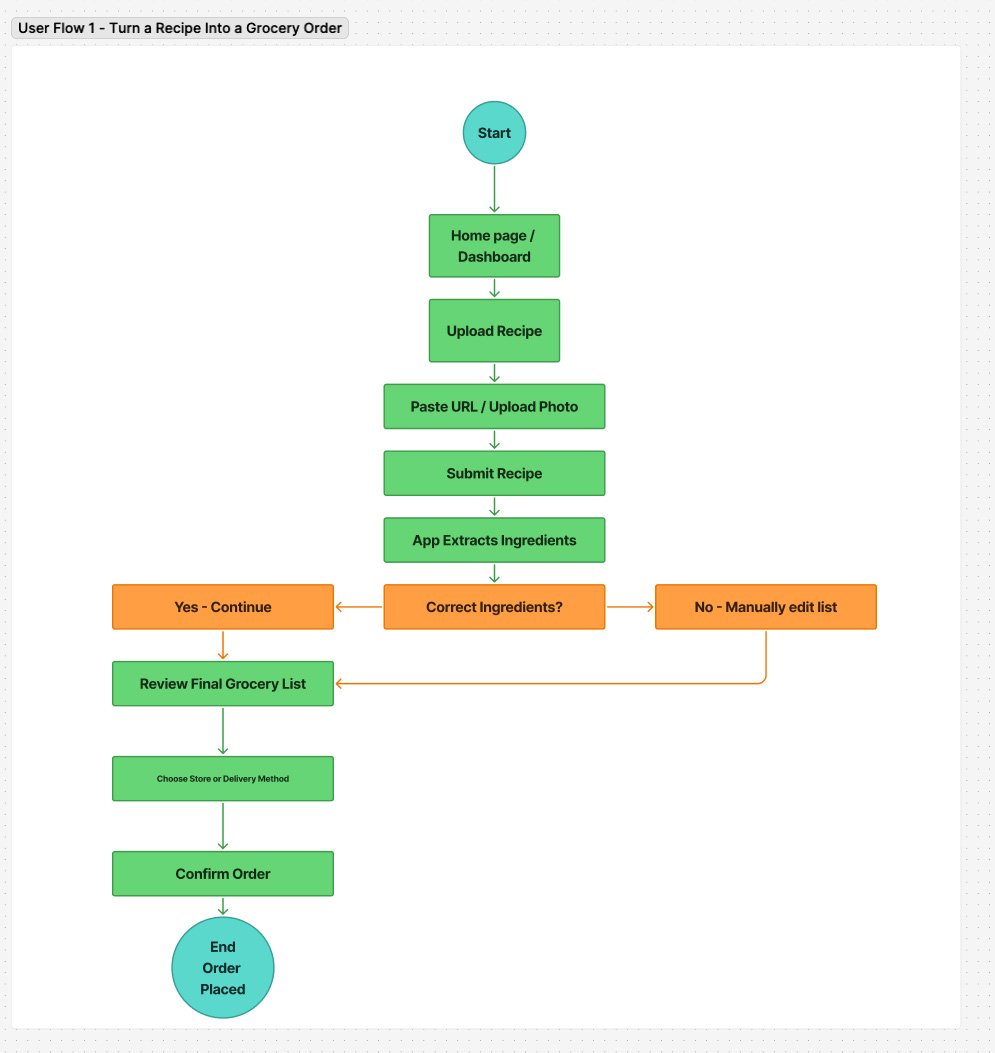
Core user flow from recipe input to grocery fulfillment
Exploring Structure Before Polish
Designing structure before visuals.
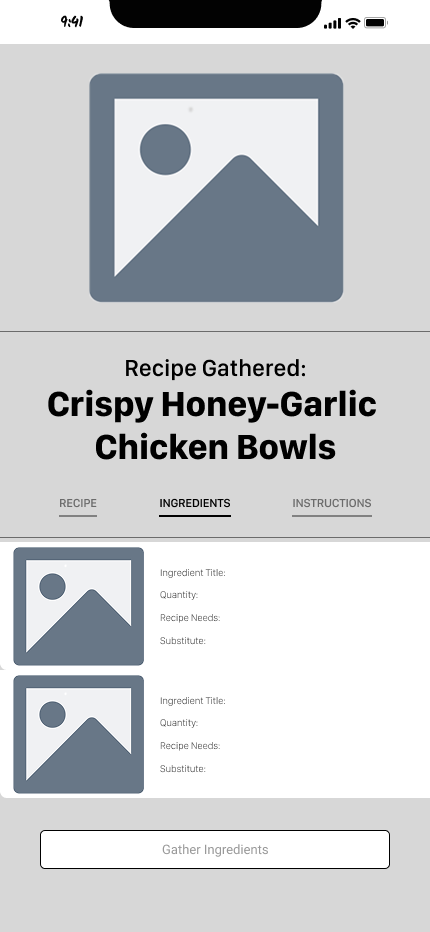
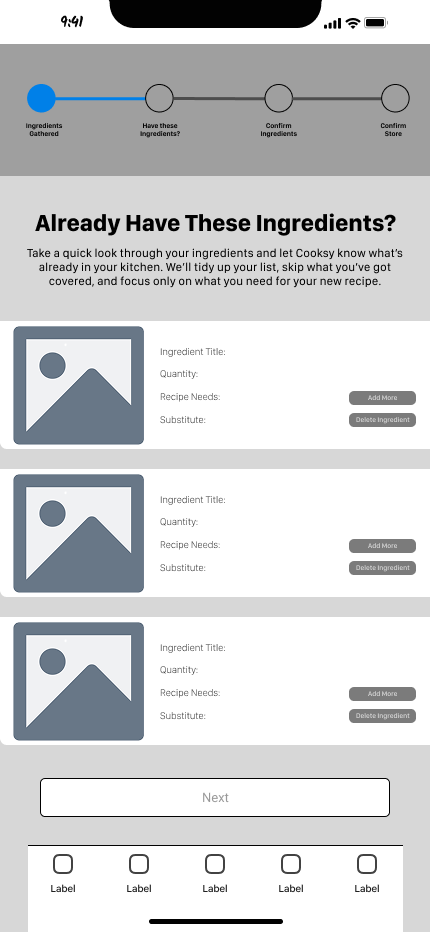
With the core flow defined, I focused on structuring key screens to support decision making without relying on visual polish. Mid-fidelity wireframes helped test layout, hierarchy, and primary actions early, ensuring users always knew what to do next.
Users needed clear step progression to stay oriented throughout the experience.
Breaking ingredients into structured, repeatable components improved scanability and decision-making speed.
Reducing each screen to one primary action eliminated hesitation and improved forward momentum.
Mid-fidelity wireframes used to test hierarchy and primary actions during ingredient review
Refining the Experience Through Testing
Reducing hesitation by clarifying the next step.
During usability testing, users hesitated when reviewing ingredients and deciding what to do next. Multiple competing actions created uncertainty and slowed progression.
To address this, I refined the layout and hierarchy to clearly prioritize the primary action, reduce competition between options, and guide users forward with confidence.
Before : Competing actions and unclear progression during ingredient review
After : Clear primary action guiding users toward the next step
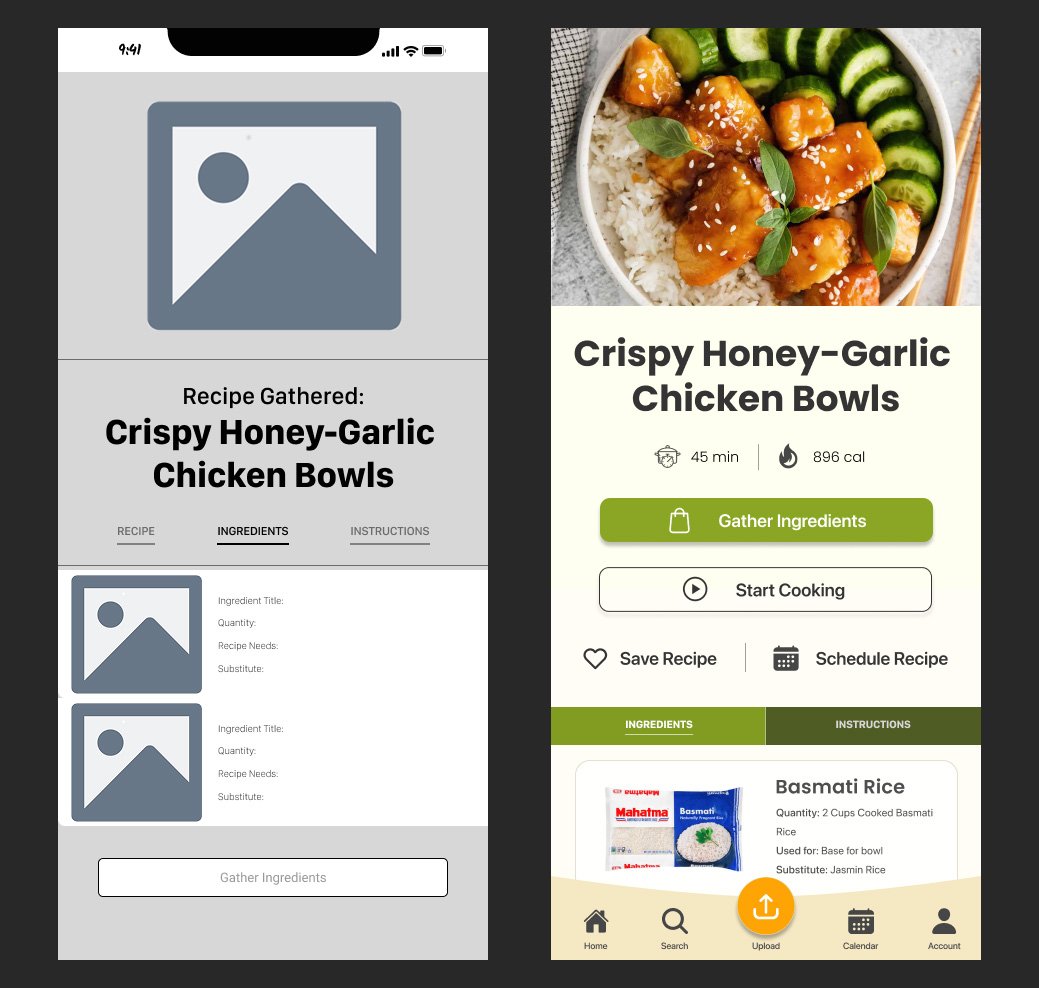
Reducing hesitation by guiding users through clear, step-by-step decisions
Usability testing showed that users completed key tasks with noticeably less hesitation after iteration, particularly during ingredient review and meal scheduling. With improved navigation, labeling, and clearer primary actions, participants relied less on trial and error and moved forward with greater confidence.
Participants consistently described the experience as “clear,” “easy to follow,” and “less overwhelming.” By reducing ambiguity at key moments, the final design helped users move smoothly from planning to action.
Outcome and Learnings